Faster submission
Submission confirmation is separated from AI generation. Users are confirmed the moment the Asana task is created, while moodboards keep generating in the background.
Your briefing has been successfully submitted.
Turning a traditional creative briefing process into an AI-powered visual exploration workflow — connecting people, processes, and AI to make design production faster and more efficient.
The AI Moodboard Generator enhances an existing AI Form workflow, transforming structured creative briefs into visual moodboards using AI.
The initiative connects form-based briefing, AI prompt generation, workflow automation, CMS, Asana, GPT, and Gemini into a single streamlined process. Instead of simply providing a written creative direction or a suggested key visual, the enhanced workflow generates multiple visual moodboards that help designers and stakeholders quickly explore possible creative directions.
Project team
The traditional briefing process required many manual steps — creating repetitive work, delays, and gaps between the original brief and the resulting visual direction.
The opportunity
Let structured information move directly from briefing → AI interpretation → visual exploration, while keeping existing project-management and documentation processes intact.
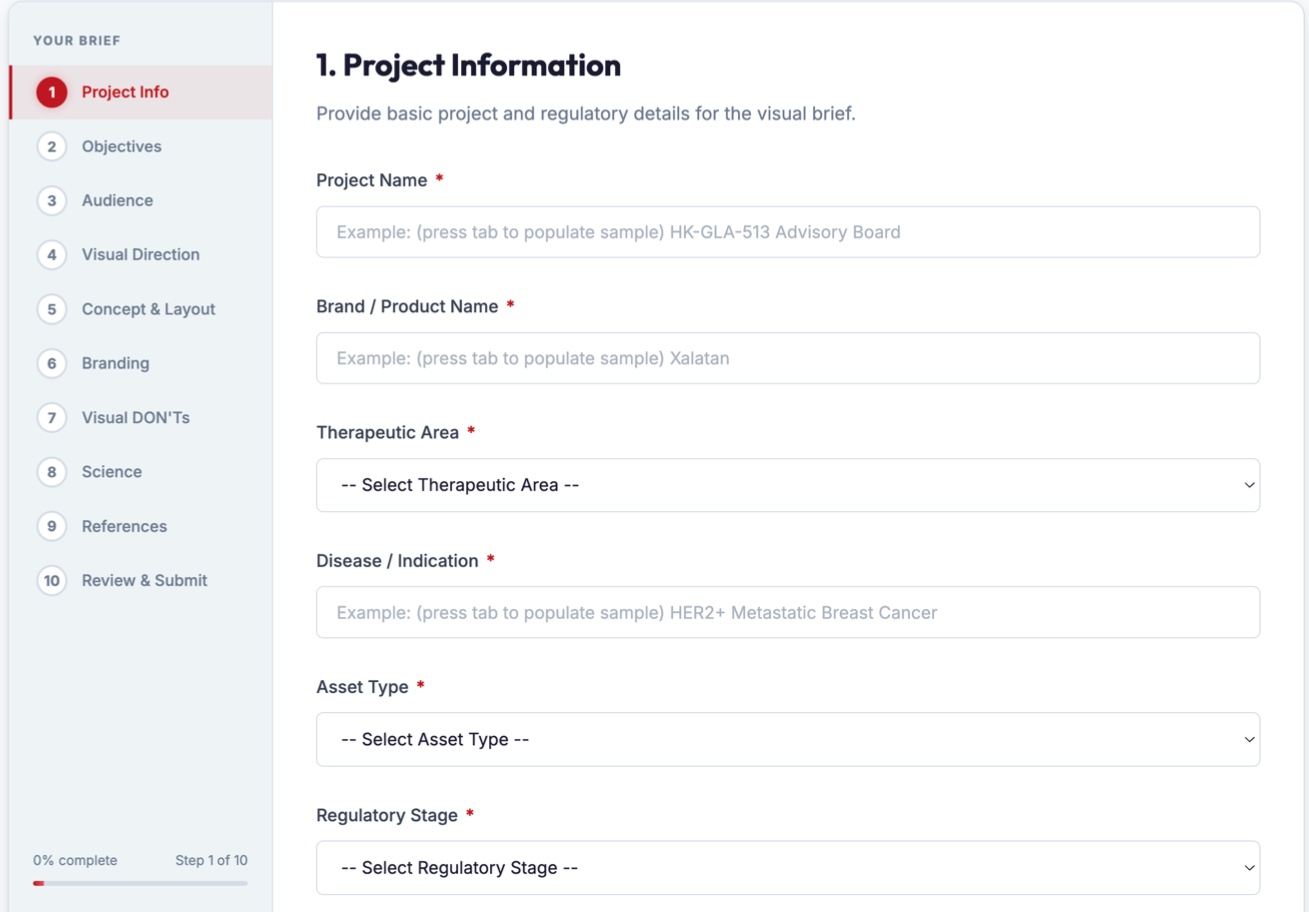
A structured, ten-step briefing form captures everything the AI needs — so the brief itself becomes reliable input.
The questionnaire collects:
Core workflow
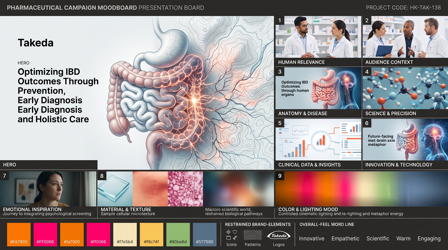
A major creative shift was changing the AI output from a single suggested key visual to moodboard-based exploration. A key visual implies the direction is already decided; a moodboard lets the AI explore the whole art direction:
Rather than relying on a single model, GPT and Gemini each receive enriched prompts built from the same brief — producing different interpretations for designers to compare. AI doesn't replace the designer; it acts as a creative exploration partner, generating starting points to evaluate, refine, combine, or reject.
A connected ecosystem — not a standalone AI tool. Each system has one job, orchestrated by n8n.
User submits the briefing form with project details.
AI workflow · n8n
Form data is structured and converted into optimised prompts.
Generates a moodboard from the prompt.
Generates a moodboard from the prompt.
Saves form data and the generated prompt.
Moodboards from ChatGPT and Gemini are collected.
Form data, prompt, and moodboards are saved as a task — the central record.
Submission confirmation is separated from AI generation. Users are confirmed the moment the Asana task is created, while moodboards keep generating in the background.
Every submission gets a unique ID. Re-sent briefs don't create a second Asana task or trigger another AI request — avoiding wasted AI costs and keeping records clean.
GPT and Gemini run independently: if one fails, the other's moodboard is still delivered. Temporary failures are retried automatically before anything is reported.
Questionnaire answers, references, uploads, the generated prompt, and finished moodboards land in the task. On reruns the prompt is replaced, not appended.
Only approved messaging can appear as a moodboard headline. Internal audience instructions guide the creative but are never rendered as visible copy.
A completion comment summarises GPT and Gemini status, moodboards attached, and any issues. Errors are categorised — usage, budget, API, generation — with details in the n8n log.
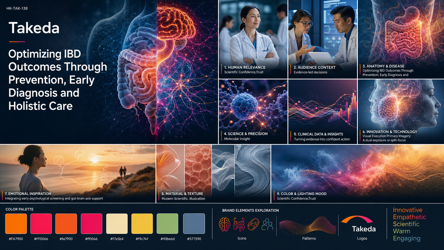
Two moodboards generated from the same pharmaceutical brief — one per AI model — following a structured 16:9 board: a dominant hero, nine reference panels, a colour palette, brand-element studies, and an overall-feel word line.
DELIVERABLE
Create one finished, edge-to-edge 16:9 pharmaceutical campaign moodboard
presentation board … a composed moodboard with multiple distinct but
coordinated reference panels. It is NOT a single key visual.

CREATIVE ROUTE: CLINICAL_SCIENTIFIC
Premium congress-quality scientific storytelling grounded by human relevance.

CANVAS AND GRID
- Upper-left 46%: one dominant cinematic HERO with deliberate copy space
- Upper-right 54%: six reference panels in a 3 × 2 grid
- Lower band: emotional image, material strip, colour-and-light study
- Footer: eight colour swatches with hex labels, brand elements, overall feel

DISPLAY COPY — render only this text, verbatim
- Desired Audience Action is an internal objective and is never rendered.The latest release makes the AI Briefing Form more efficient, flexible, and user-friendly — based on how people actually fill in briefs.
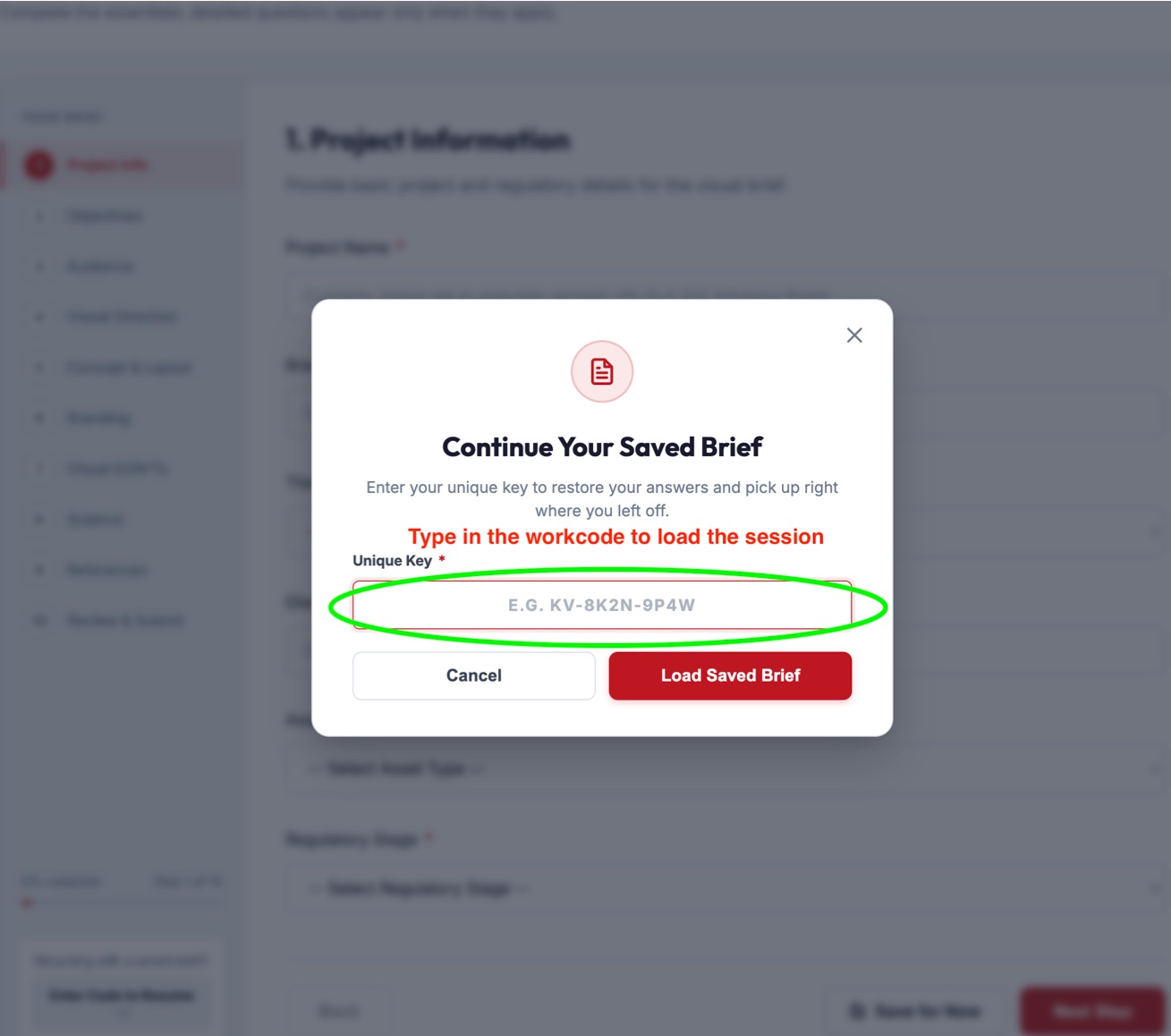
Users can save progress and return to a brief later without starting from scratch.
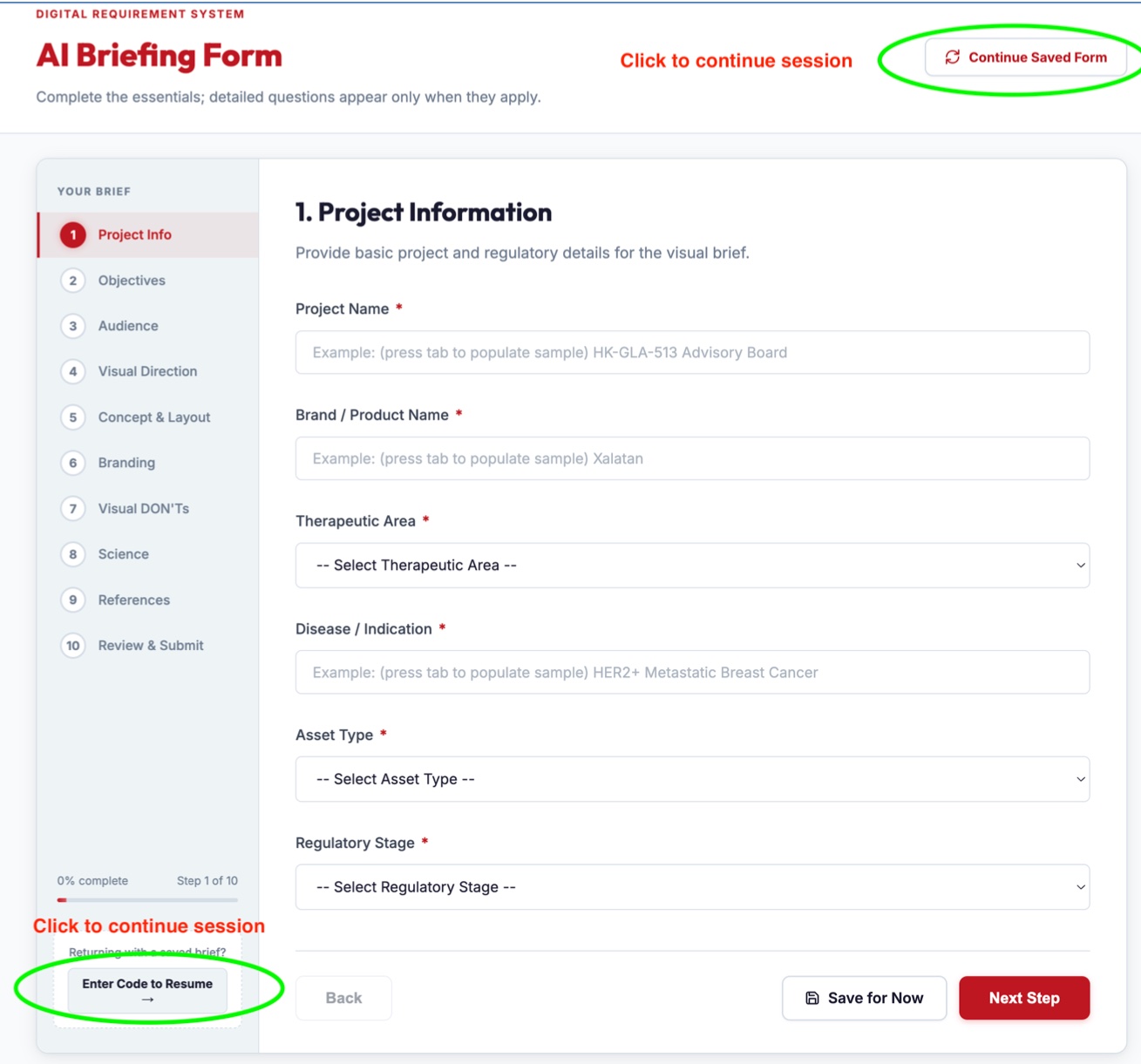
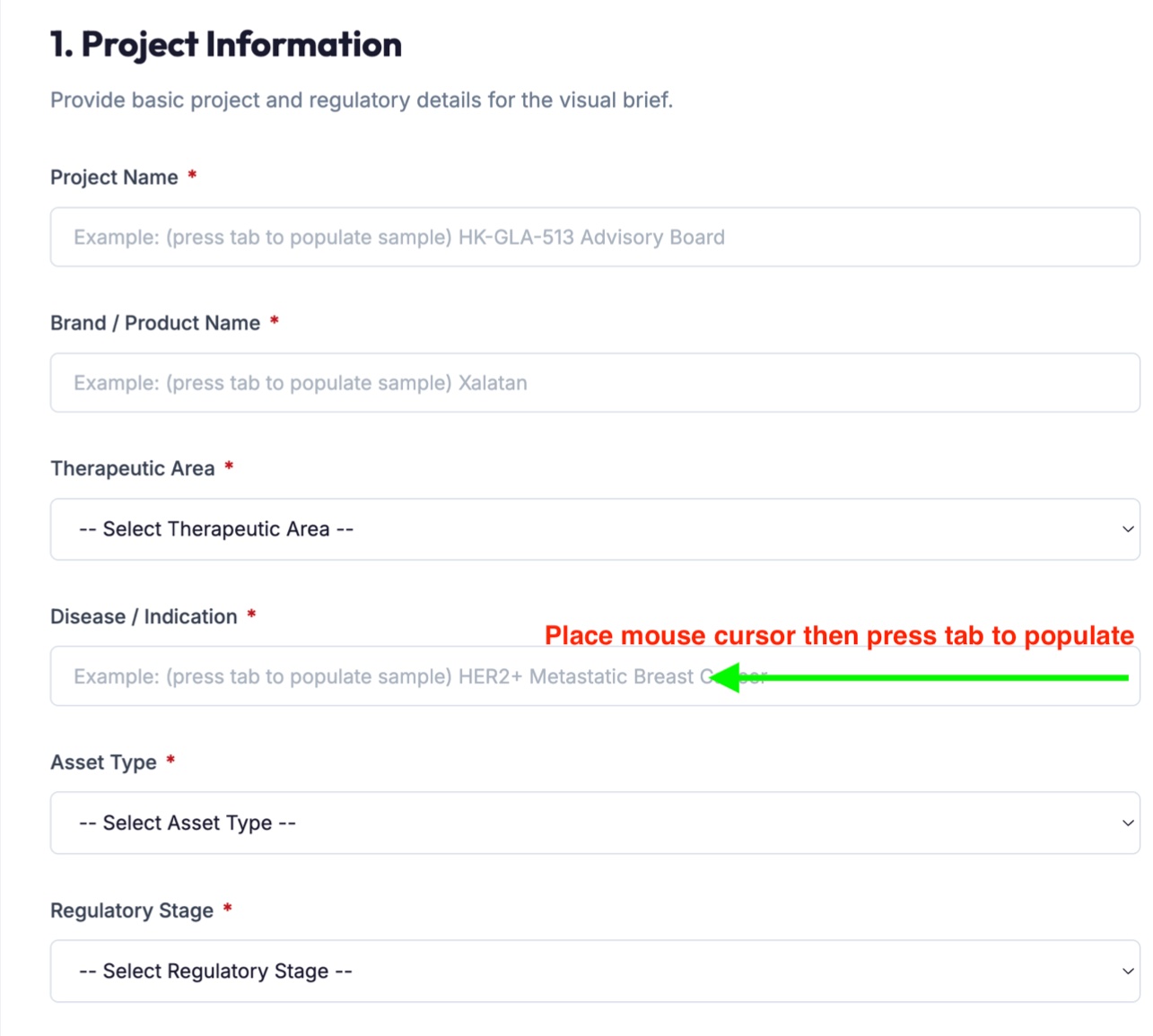
Supported fields now offer sample content, making the brief faster to complete and showing what good input looks like.
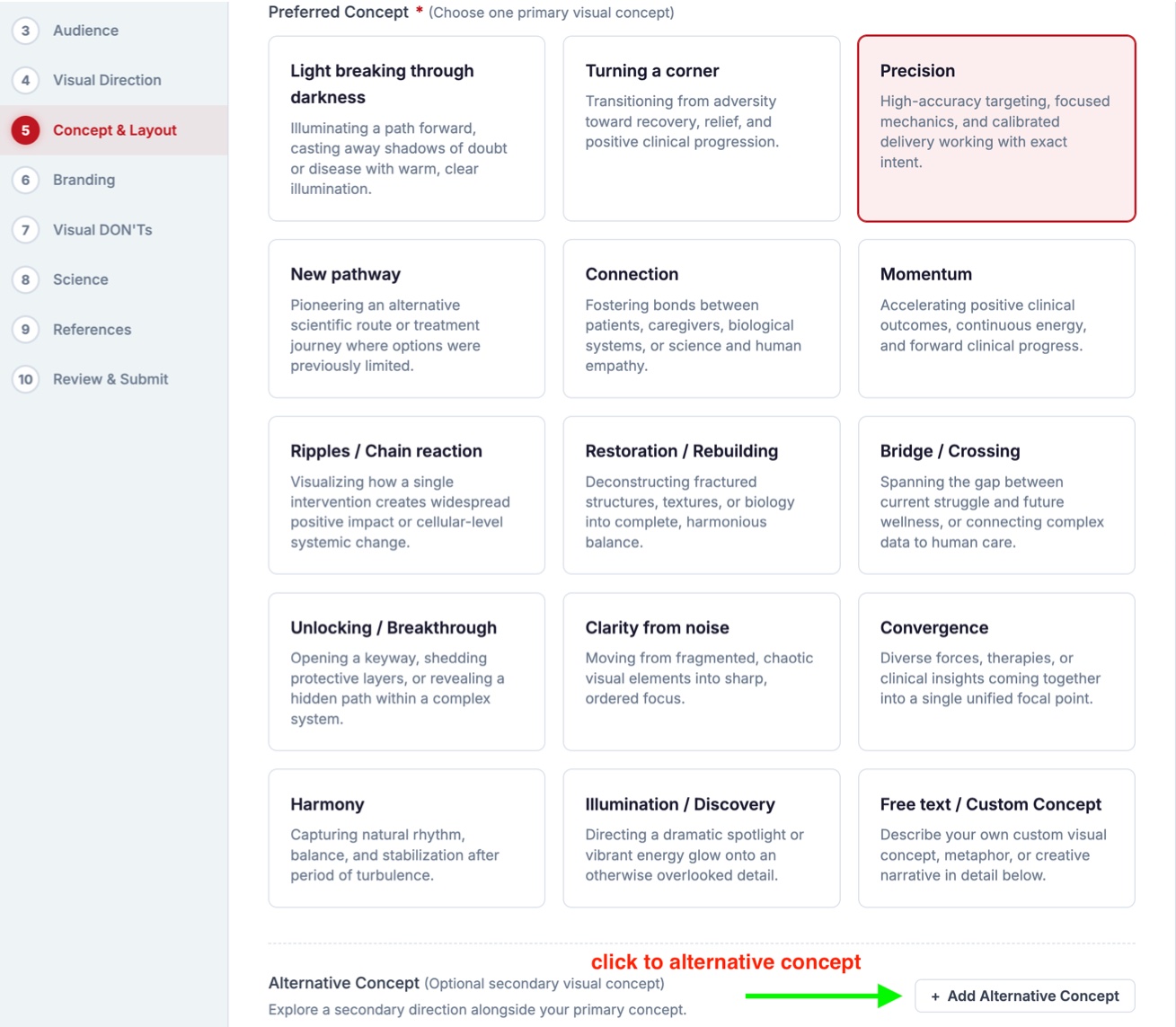
Users can explore a second creative direction alongside their primary concept — and compare both within a single brief.
A faster brief-to-visual exploration system, with the designer still making the decisions.
30–40%
Faster project turnaround (estimated)
2
AI moodboards per brief, GPT and Gemini
1
Connected record in Asana per brief
Confirmation happens right after task creation while AI generation continues in the background.
Automated processing removes repetitive manual steps.
Multiple moodboards offer different creative directions.
Structured data reduces information loss between brief and output.
Repeat briefs run through the same underlying structure.
Form, CMS, automation, project management, and AI work as one.
The most valuable application of AI isn't necessarily generating the final creative asset. The bigger opportunity is accelerating the stages before production — connecting structured information, automation, and creative AI so a traditional briefing process becomes a faster brief-to-visual exploration system.
Move from AI-generated images to an AI-assisted creative workflow — where briefing, strategy, exploration and production are connected through technology.
Next steps